
One master, any number of nodes
m-ui is a multi-server sing-box panel by design, not by add-on. Every server runs the same binary; one is the master and does the accounting, the others only forward traffic.
Roles
| Master | Node | |
|---|---|---|
| Panel | Full: lines, users, upstreams, resellers, settings | Read-only view of what the master pushed; local settings, certificate, logs |
| Data plane | Embedded sing-box, serves its own lines | Embedded sing-box, serves the lines deployed to it |
| Accounting | Rolls up traffic from every server, judges quota, expiry and device limits | Keeps a monotonic counter per user, reports deltas |
| Subscriptions | Serves them (nodes also can, with the same data) | Same data, same formats |
Pairing a node
- Install m-ui on the new server with the same one-line installer.
- In its panel, Settings → Run as node. The pairing card shows its API address and token.
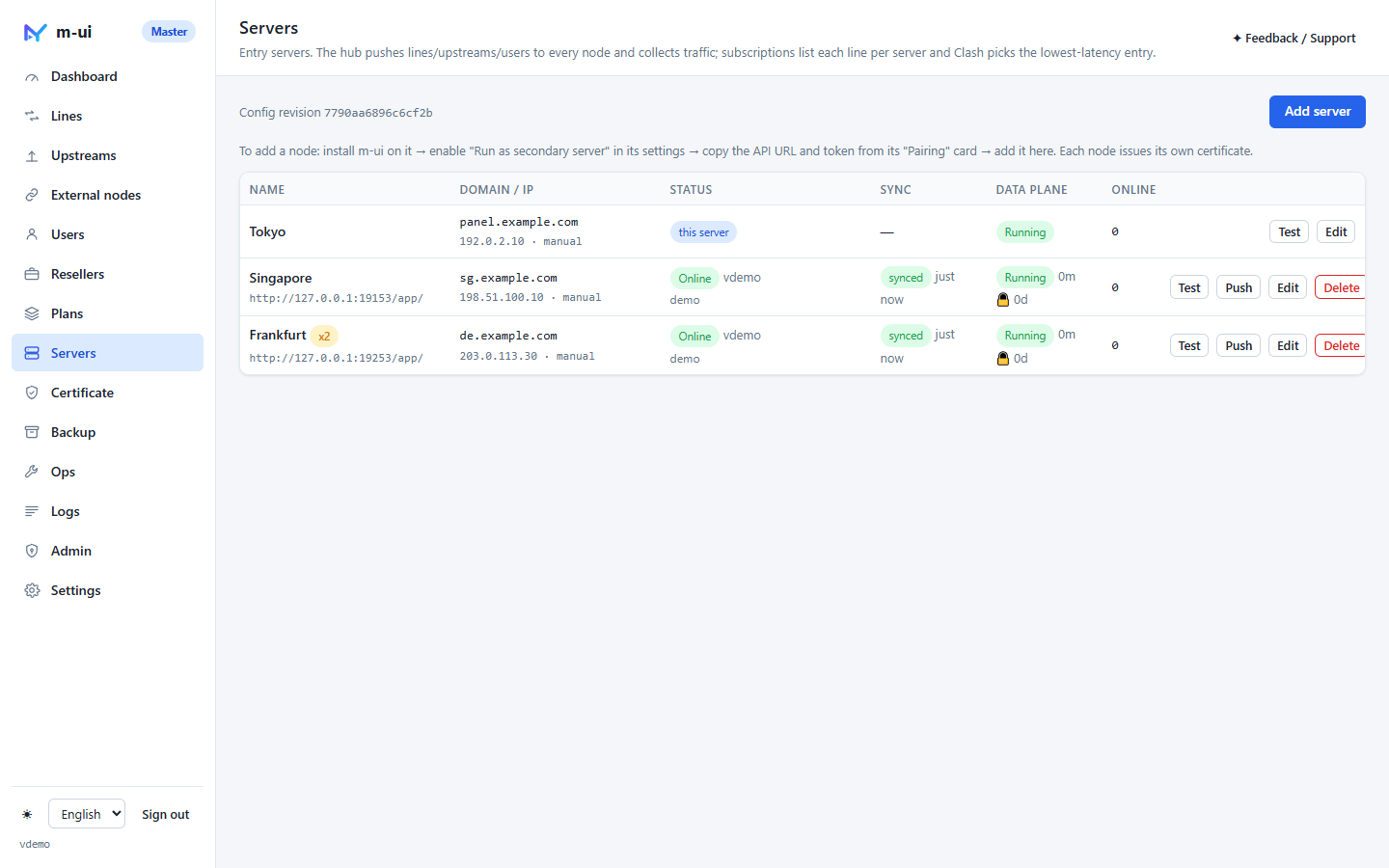
- On the master, Servers → Add server, paste the address and token, give it a name and a domain or IP. Each node issues its own certificate (self-signed is fine).
That is the whole procedure. Within five seconds the node shows online · synced and starts serving the lines deployed to it.
What gets synced, and how
Every 5 seconds the master builds a snapshot — lines, upstreams, users with credentials, user↔line assignments, external nodes, resellers and the subscription settings — hashes it into a revision, and pushes it to every node concurrently. A node that already has that revision does nothing; one that does not applies it and reloads its data plane using the same three-tier reload as the master: user changes hot-swap the inbound user table, upstream changes hot-swap outbounds, only line changes restart sing-box (with rollback if the new config fails to start).
In the same round the master pulls each node's report: traffic since the last cursor, online source IPs per user, version, core status, certificate days left. A slow or unreachable node only delays itself; the others sync on time.
Traffic, quota and device limits across servers
- Traffic is accounted once. Nodes keep a monotonic per-user counter; the master stores a cursor per node and adds only the delta. A node that reinstalls (counter resets) is detected and re-based, so nothing is double-counted.
- Quota and expiry are judged on the master only. A user who runs out is simply absent from the next snapshot, so every server stops serving them within seconds.
- Device limit is the number of distinct source IPs across all servers. The master merges online IPs from every node and pushes each node the IPs seen elsewhere, so a limit of 3 means 3 devices in total, not 3 per server.
Subscriptions with many servers
A line deployed to N servers appears N times in the user's subscription, named line – server, with each server's own domain or IP. Clash, sing-box and universal-link clients then pick by latency or let the user choose. Adding a server to a line updates every subscription on the next refresh — no per-user edits. When you do want a user, a plan or a reseller grant to carry only one server's entry of a line, pick that entry instead of the whole line; the subscription then lists just that one.
When a node goes offline
- The node keeps forwarding with the configuration it has. Users on it do not notice.
- The master marks it offline, sends a Telegram alert after a minute if configured, and keeps trying every 5 seconds.
- When it returns, the cursor picks up traffic from where it left off and the current snapshot is pushed. Users disabled meanwhile are removed on that push.
Traffic ratio
Each server has a ratio (default 1). Traffic through a server with ratio 2 counts double against the user's quota — useful for premium routes or expensive bandwidth. Time-series charts keep the real bytes; only user quota accounting is scaled.
Deeper: how the sync protocol is built · architecture overview