
User management for sing-box, done centrally
sing-box knows credentials; it does not know quotas, expiry dates or how many phones one person is using. m-ui keeps that state in one place and enforces it on every server it manages.
What a user is
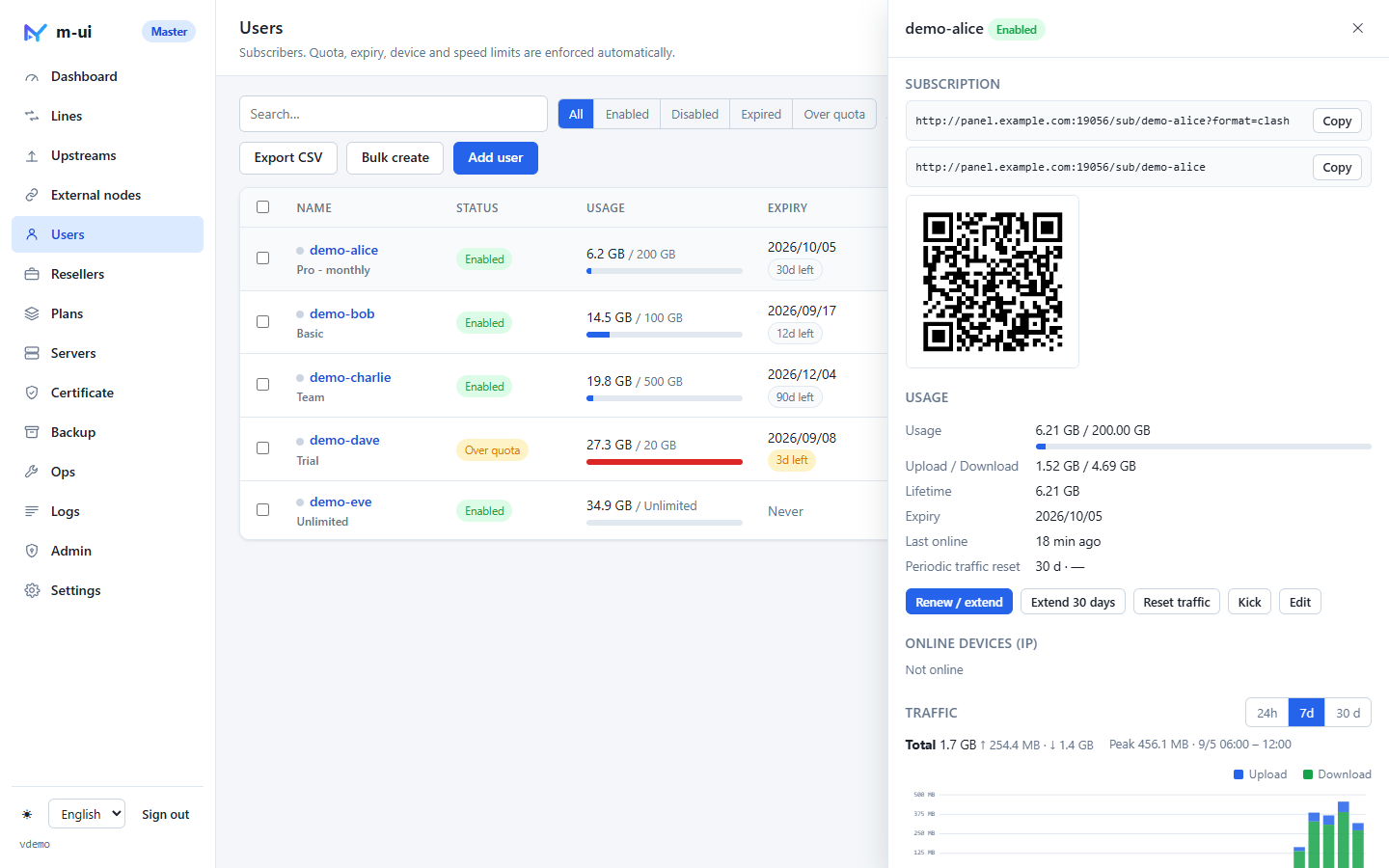
A name, a set of credentials generated for every protocol (password for Hysteria2 and Shadowsocks, UUID for VLESS / VMess / TUIC, and so on), the lines they may use, and the limits below. The name doubles as the subscription key unless you switch to random tokens in Settings. Creating a user hot-swaps the inbound user tables on the master and every node; nobody else reconnects.
Traffic quota
Set a quota in GB or leave it unlimited. Usage is the sum of upload and download across all servers, scaled by each server's traffic ratio (a premium server can count double). Periodic reset zeroes the counter every N days from the first reset date and re-enables a user who was disabled for being over quota — the usual monthly plan. Lifetime totals are kept separately so a reset does not lose history.
Expiry
A date, or none. Expired users are disabled and kicked; the landing page tells them so. "Extend 30 days" and "Renew" (apply a plan again) are one click on the user, and bulk-extend exists for the whole list. Telegram can warn you N days before expiry.
Device limit
A device is a distinct source IP seen on any inbound. The master merges online IPs from every node and pushes each node the IPs seen elsewhere, so a limit of 3 means three devices across your whole fleet, not three per server. Connections beyond the limit are refused; the user's detail drawer lists the current IPs and the lines they are on.
Speed limits
Upload and download limits in Mbps, per user, applied by the data plane on every server. Useful for trial accounts and for keeping one user from saturating a small VPS.
Plans
A plan is a template: quota, duration, device limit, speed limits, reset period and which lines to assign. Use it when creating a user, when renewing, or in bulk-create. Resellers get their own plans, separate from yours.
Subscription
Every user has one address in three formats (universal links, Clash / Mihomo, sing-box JSON) plus a landing page with usage, expiry, one-tap import and QR code. You can allow users to generate a temporary share link that you can revoke instantly. Details on the sing-box panel page.
Bulk operations
Bulk-create N users from a prefix and a plan; select across pages to enable, disable, extend, reset, apply a plan or delete; export CSV; import users from a legacy panel database. The user list is paginated and searchable so a few thousand users stay manageable.
Resellers
Give a reseller a traffic quota, a device pool, a bandwidth pool, an expiry date and a set of lines. They get a separate panel where they create their own users and plans; all usage rolls up to their budget, and when it is exhausted or expired every user of theirs is cut off at once. Their users never appear in your list.
How enforcement works
Every 10 seconds the panel reads traffic and online connections from the embedded core. Every minute it judges quota, expiry and periodic resets on the master. Users who fail are disabled in the database and removed from the next snapshot to every node, so enforcement is consistent fleet-wide within seconds and never depends on a node making its own decision. Read how the sync protocol works.